How to Use Insta Pro Ghost Mode: Complete Guide to Anonymous
Privacy on Instagram has become one of the most discussed topics among social media users. The official Instagram app is built to maximize visibility it tells people when you were last active, when you read their messages, and when you viewed their stories. For millions of users, this level of surveillance feels invasive and uncomfortable.
That is exactly why Ghost Mode in Insta Pro has become one of the most loved and most used features in the entire Instagram mod world. It gives you complete control over your digital footprint — letting you browse, read, watch, and interact on Instagram without leaving any trace behind.
This guide covers everything you need to know about Ghost Mode in Insta Pro: what it does, how to activate it, which specific privacy controls it includes, and how to get the absolute most out of it. You can download the full version of Insta Pro with Ghost Mode enabled at instaapro.com.
What Is Ghost Mode in Insta Pro?
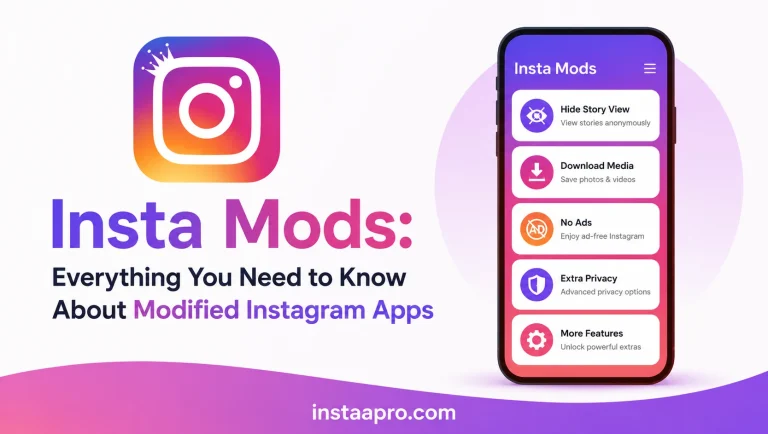
Ghost Mode is a collection of privacy features bundled into a single master toggle within Insta Pro. When activated, it suppresses the various signals and indicators that Instagram normally broadcasts to other users about your activity.
Think of it as an invisibility cloak for your Instagram account. You remain fully functional — you can read messages, watch stories, browse the explore page, view profiles — but from everyone else’s perspective, you have gone completely dark.
Ghost Mode is not a single feature. It is a suite of privacy controls that work together to give you genuine anonymity on the platform.
What Ghost Mode Controls and Disables
Understanding exactly what Ghost Mode manages helps you use it more strategically. Here is a full breakdown of every indicator Ghost Mode suppresses:
| Privacy Indicator | Without Ghost Mode | With Ghost Mode Active |
|---|---|---|
| Last Active / Online Status | Visible to followers and DM contacts | Hidden completely |
| Message Read Receipts | Blue ticks shown when you read | No read receipt sent |
| Story View Notification | Your name appears in viewer list | View is not logged |
| Typing Indicator in DMs | “Typing…” visible to recipient | Suppressed |
| Activity Status in DMs | “Active Now” or “Active Xh ago” | Hidden |
| Story Reply Read Receipt | Recipient sees when reply is read | Disabled |
Every one of these six indicators is suppressed when Ghost Mode is active, giving you a truly private Instagram experience.
How to Enable Ghost Mode in Insta Pro Step by Step
Activating Ghost Mode in Insta Pro is simple and takes less than thirty seconds. Follow these steps on your Android device:
- Open Insta Pro on your device after downloading it from instaapro.com
- Tap your profile picture in the bottom right corner to open your profile
- Tap the three horizontal lines (hamburger menu) in the top right corner
- Select Settings from the dropdown menu
- Navigate to Privacy and Security settings
- Look for the Ghost Mode or Insta Pro Privacy section
- Toggle Ghost Mode to ON
- Confirm any prompts that appear
Once enabled, you will notice that Ghost Mode is active — some versions of Insta Pro display a small ghost icon or indicator in the top bar when the mode is running.
You can also enable individual Ghost Mode components separately if you do not want to activate all privacy controls at once. This is useful if, for example, you want to hide your online status but still want read receipts to appear for professional contacts.
Individual Privacy Controls Within Ghost Mode
Hide Online Status
This is the most commonly used Ghost Mode feature. Instagram shows your last active time and current online status to everyone you follow and who follows you. With this control enabled, your online status is completely hidden — no one can see when you were last active or whether you are currently online.
This is particularly valuable for users who feel pressured to respond immediately to messages simply because their followers can see that they are online.
Disable Read Receipts in DMs
When you read a direct message on official Instagram, the sender immediately sees the blue double-check mark indicating their message has been read. Ghost Mode’s read receipt control prevents this signal from being sent. You can read every message at your own pace without the sender knowing you have seen it.
This feature is available even when messaging is purely personal — many users simply prefer to read and digest messages before deciding how or when to respond, without the social pressure of a visible read receipt.
Anonymous Story Viewing
Viewing someone’s Instagram story normally adds your username to their viewer list, which they can check at any time within 24 hours. With Ghost Mode’s anonymous story viewing feature, your view is not logged in the viewer list.
This means you can watch any public story, or stories from accounts you follow, without the account owner ever knowing you watched. This is one of the most in-demand privacy features in any Instagram mod and it works seamlessly within Insta Pro’s Ghost Mode system.
Hide Typing Indicator
When you are composing a reply in a direct message conversation, Instagram shows the other person a “Typing…” notification in real time. Ghost Mode suppresses this indicator, giving you the freedom to draft, edit, and rethink your messages without the other person watching you compose in real time.
Activity Status in DM List
Even when you are not in an active conversation, Instagram displays your activity status next to your name in other users’ DM lists. Ghost Mode hides this information entirely, ensuring that nobody can gauge your current level of Instagram activity from the message inbox.
Advanced Ghost Mode Strategies
Use Ghost Mode for Competitive Research
If you manage a business or personal brand on Instagram, Ghost Mode is an invaluable tool for researching competitors. You can browse competitor profiles, watch their stories, analyze their content strategy, and review their engagement — all without them ever seeing your account in their analytics or story viewers.
Combine Ghost Mode With Anonymous Story Views
For maximum privacy during story research, activate Ghost Mode and then browse stories freely. Your account generates zero footprint. You can watch the same story multiple times, pause on specific frames, and revisit content without any of it appearing in the creator’s insight data.
Use Ghost Mode During Sensitive Conversations
If you need to carefully consider a message before responding, Ghost Mode lets you read it without triggering the read receipt. Take as much time as you need. Review the conversation history, think through your response, and reply on your own timeline.
Schedule Ghost Mode Usage
You do not need to run Ghost Mode all the time. Many experienced Insta Pro users follow a schedule: Ghost Mode on during work hours or personal time when they do not want to be tracked, and Ghost Mode off when they are actively engaging with friends and family. This selective use gives you the benefits of privacy without completely disconnecting from social engagement.
Ghost Mode vs Instagram’s Native Privacy Settings
Instagram does offer some native privacy controls, but they are extremely limited compared to what Ghost Mode provides. Here is an honest comparison:
| Privacy Feature | Instagram Native | Insta Pro Ghost Mode |
|---|---|---|
| Hide Activity Status | ✅ Available (but mutual — hides others’ too) | ✅ One-way, hides only yours |
| Disable Read Receipts | ❌ Not Available | ✅ Full Control |
| Anonymous Story Views | ❌ Not Available | ✅ Fully Anonymous |
| Hide Typing Indicator | ❌ Not Available | ✅ Suppressed |
| Hide from Specific People | ⚠️ Only via Block | ✅ Universal |
The key difference with Instagram’s native “Activity Status” toggle is that it works both ways — when you hide your status, you also lose the ability to see others’ status. Insta Pro’s Ghost Mode is one-directional — you become invisible while still being able to see everything around you.
Important Things to Know About Ghost Mode
Ghost Mode is a powerful privacy tool, but there are a few things to keep in mind for realistic expectations:
- Ghost Mode suppresses outgoing activity signals from your device. It does not make previously logged views or reads disappear retroactively.
- For anonymous story views to work fully, Ghost Mode must be active before you open the story. Activating it after you have already started watching will not remove your name from the viewer list for that view.
- Ghost Mode works most reliably when combined with a regularly updated version of Insta Pro. Older versions may have had their privacy protocols partially patched by Instagram. Always use the latest version from instaapro.com.
- Ghost Mode is a client-side privacy feature. It controls what information your device sends. Always use it alongside the general account safety practices to maintain both privacy and account security.
Who Should Use Ghost Mode?
Ghost Mode is useful for a wide range of people and use cases:
- Professionals who use Instagram during work hours and do not want colleagues or clients to see them active
- Researchers and marketers who need to monitor competitor accounts without leaving a trace
- People dealing with difficult personal relationships who need space without the pressure of being “seen online”
- Content creators who want to analyze competitor stories and content strategies anonymously
- Anyone who simply values their digital privacy and believes that their browsing habits are their own business
Frequently Asked Questions About Insta Pro Ghost Mode
Q1: Does Ghost Mode work on both private and public Instagram accounts?
Yes, Ghost Mode works regardless of whether you are viewing public profiles or accounts you follow. Anonymous story viewing applies to any story you can access — public or from accounts you follow. The online status and read receipt features apply universally across all your interactions.
Q2: Will the account owner know if I view their story multiple times with Ghost Mode on?
No. With Ghost Mode active and anonymous story viewing enabled, your views are not logged at all — whether it is your first view or your tenth. The account owner will not see your name in their story viewer list.
Q3: Can I turn Ghost Mode on and off multiple times a day?
Yes, you can toggle Ghost Mode on and off as many times as you like. There is no penalty or limitation on switching between active and inactive states. Many users toggle it based on context — turning it on for private browsing and off for social engagement.
Q4: Does Ghost Mode affect my ability to like or comment on posts?
Ghost Mode is specifically designed to suppress activity indicators like online status, read receipts, and story views. It does not prevent you from liking, commenting, or otherwise engaging with content. Engagement actions will still be visible to other users as normal.
Q5: Where can I download the latest version of Insta Pro with Ghost Mode?
The latest version of Insta Pro with all Ghost Mode features fully updated and functional is available at instaapro.com. Always download from this trusted source to ensure you get a clean, up-to-date version with the best anti-ban and privacy protections built in.